We've moved!
Our new website is live.
For the latest information and inquiries, please visit and contact us on our new website.
https://bliiot.com/
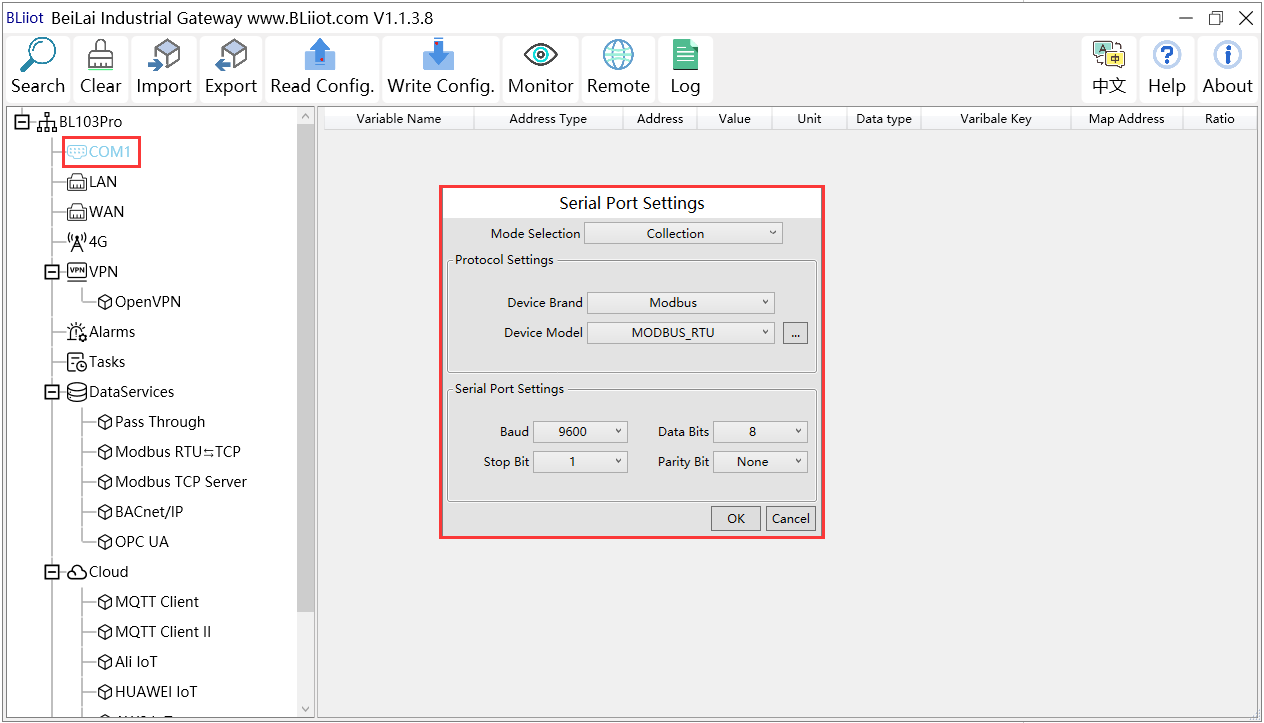
(1) Double click “COM2” to enter configuration window
(2) Mode Selection: Collection
(3) Device Brand: Modbus; Device Model: Modbus RTU The polling interval and timeout are set by default and set according to requirements.
(4) Baud rate, Stop bit, Data Bit and Parity Bit will be set the same as that in M140T RS485 port
(5) Click OK to confirm
Note: Click Write Configuration. Gateway will restart automatically. COM configuration will be valid after device restarting